The platform
From content creation to consent management
Truthster lets media creators attach information to a specific piece of multimedia content, certifying how it was created and the conditions under which it may be used.
Through the app, content creators can collect interviewees’ consent and manage information about the people involved, usage rights and content integrity within a single workflow.
With Truthster, there is no need to fill in paper release forms or other paper forms.
The platform also lets you manage this information over time. Anyone who has given consent can view their consent record or withdraw their consent through an entirely digital process.

A practical example: an interview
A journalist conducts an interview, creating audio or video recordings, photographs or written text. With Truthster, the interview file can incorporate:
- a guarantee of the file’s integrity;
- a record of the interviewee’s consent;
- information about the terms of use;
- a record of the interviewee’s consent for data protection purposes.
How does it work?
01
Create or add your content
Journalist / creator
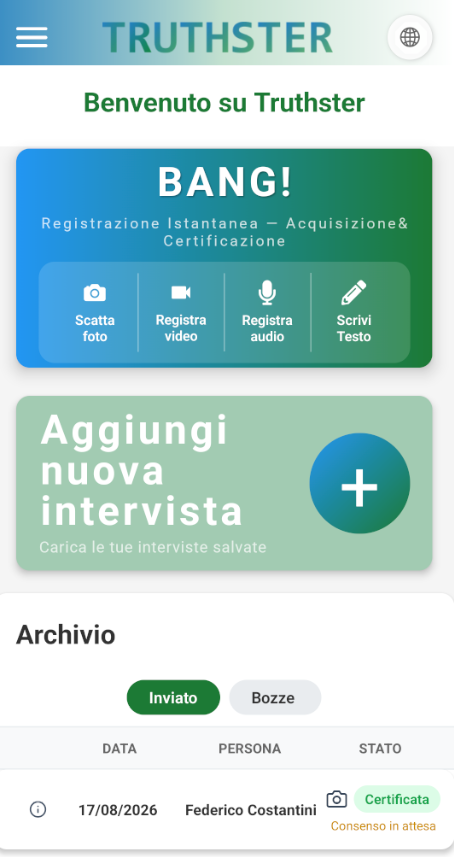
You have taken a photograph, made a video or audio recording, or written a piece of text. You want to document how it was created and, where necessary, obtain the interviewee’s consent. To upload existing content, select “Add new interview” in the Truthster app. The “Bang!” feature lets you quickly certify content without having to interact with an interviewee or another person giving consent.
02
Enter the details
Journalist / creator
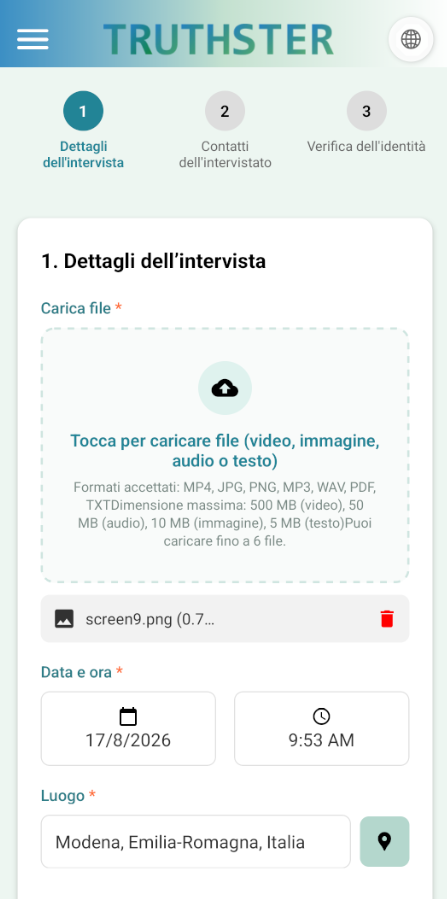
Enter information about the content and the interviewee’s details in the app. This is the first step in creating the documentation linked to that specific interview.
03
Verifica e invia la richiesta
Journalist / creator
Check the interviewee’s details and send the consent request. From that point onwards, the request is linked to the specific content for which it was created.
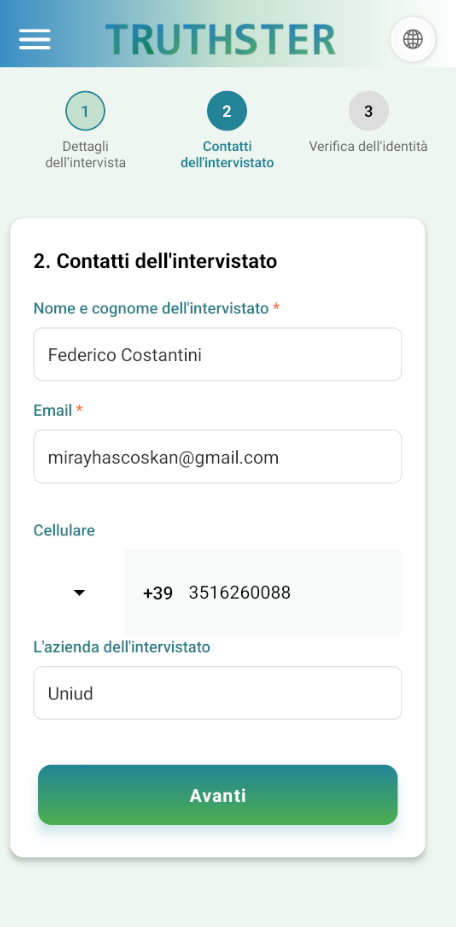
04
Ricevi la richiesta
Interviewee
Check your email inbox for a consent request relating to the content you are featured in. You can then access the information you need to decide whether to give consent.
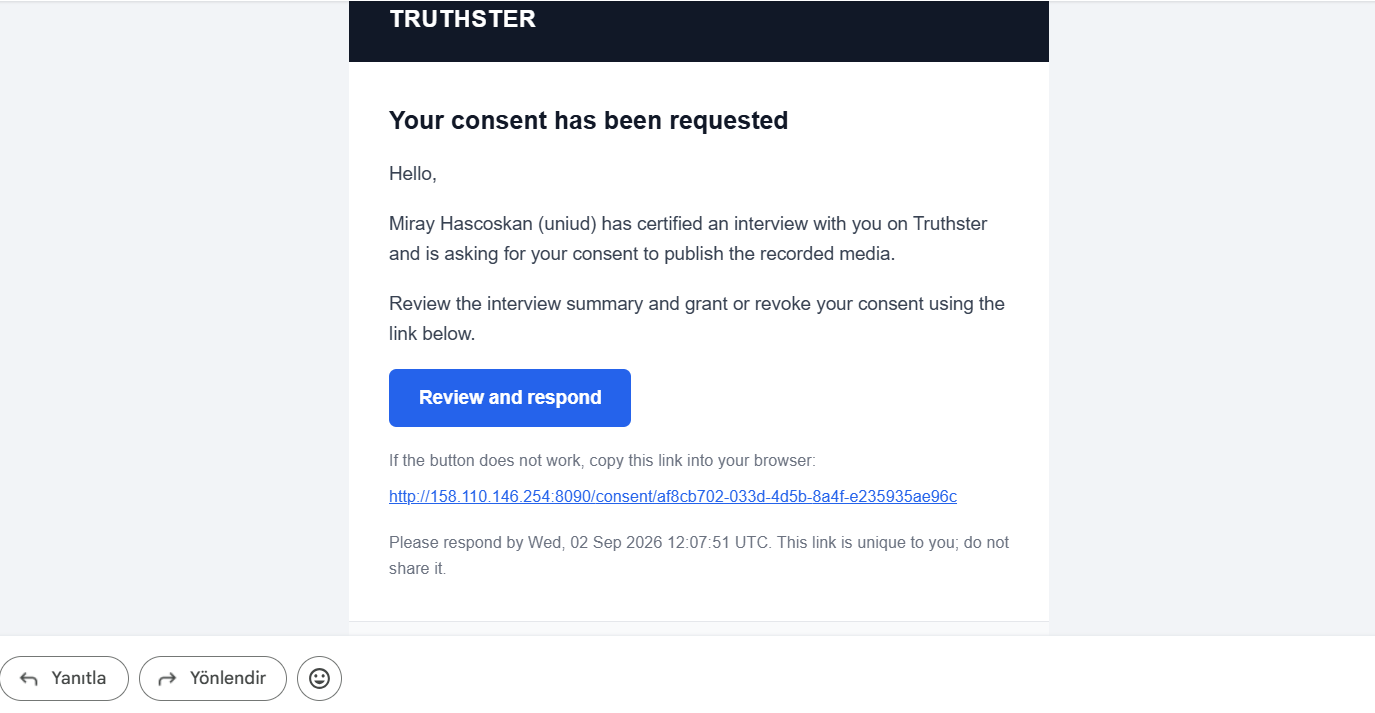
05
Rivedi e scegli
Interviewee
Review the content and the conditions that apply to it, then choose whether or not to give consent. Any consent you give remains linked to that specific content and can be withdrawn later.
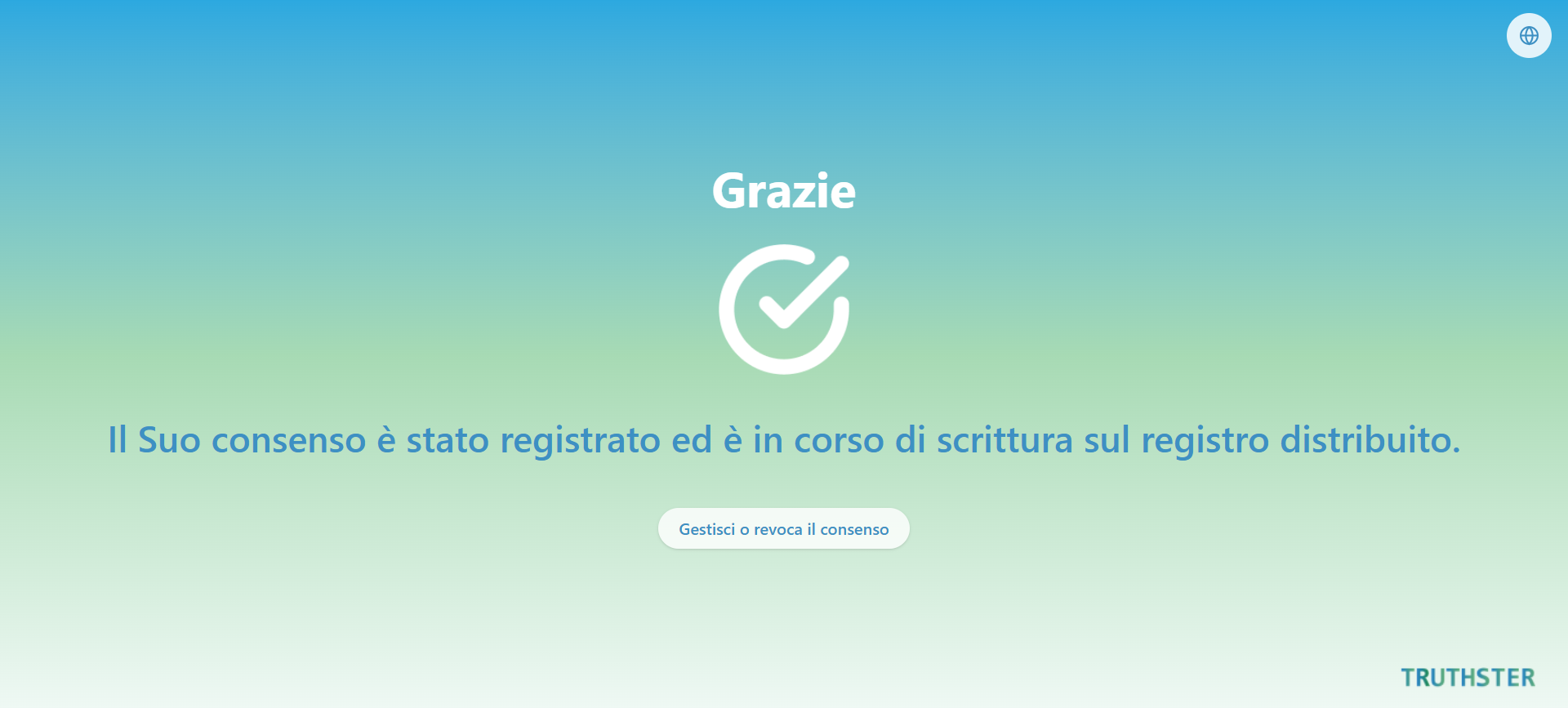
06
Controlla lo stato del consenso
Journalist / creator
Return to the app to check whether consent has been given and review the status of the content you have managed using Truthster.
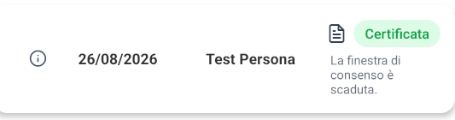

What does Truthster certify?
Truthster certifies and links to the content evidence about the people involved, authorship, consent and usage rights. It also generates technical evidence that can be used to verify this information.
Identity and authorship
Details declared by those involved and information collected during the process document who created the content and who took part.

Consent
The interviewee’s consent is documented and linked to the specific content. Truthster maintains this consent record over time, including any subsequent withdrawal.

Rights and terms of use
Information about the rights and agreed terms of use for the content is documented and linked to the process.

Content integrity
Truthster generates a digital fingerprint of the content, making it possible to check later whether the certified file has been altered.